Brief History on PWA’s
Because I like to start with a deep thought, this time I will defy your logic by asking, “What if I told you that in 2007 Steve Jobs, somehow, predicted the concept of a PWA would appear in 2015?”Is it possible that Jobs has access to a Delorean time machine? Or an iPhone time machine? Probably not, but he added the vision and you can check it out in the following video: “One last thing” June 11 2007, 18 days before shipping the iphone. The definition “Progressive Web Apps”, firstly called “Progressive Open Web Apps”, was introduced in 2015 by two Google employees (article) and they took a moment to think about some applications they knew and they thought about some characteristics that those apps should have so they can improve the user experience and design.They used this concept to describe web applications with a native look and feel and that makes use of native features of the device they are running on.A year later, in 2016, Google announced they would start “treating” this class of applications as a new web standard. Finally, in 2018, Apple and Microsoft announced Safari and Edge standard support for PWA applications.In 2019, most browsers already supported PWA applications and nowadays we can find major companies preferring to develop a PWA application instead of using native code (Amazon, Spotify, BBC News, Facebook).
What is a PWA?
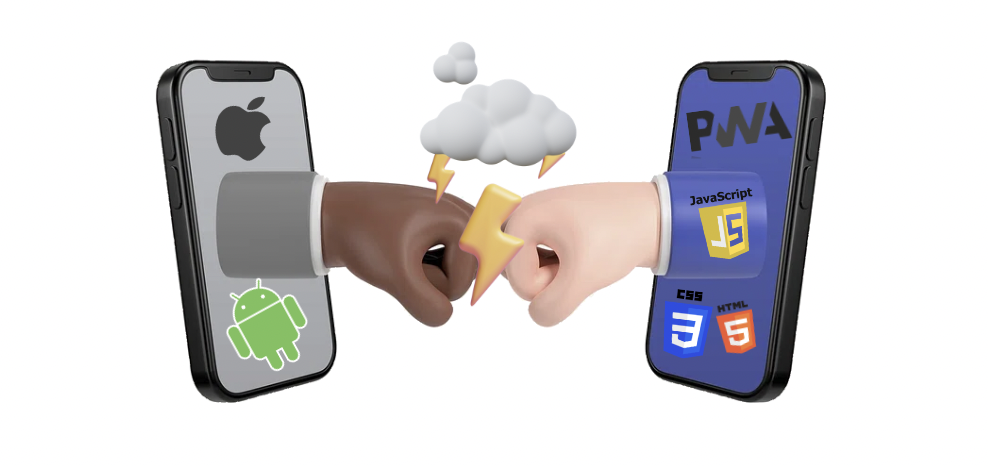
In short terms, a Progressive Web App is a website that can be installed natively on a device (mobile or desktop), feels like a native application (has icons, and shortcuts), and can access almost all of the device’s native features (camera, notifications, etc.).On top of this, since it’s basically just HTML, CSS and Javascript running on a browser, it will work seamlessly in all devices (Windows, Android or iOS) without the need to learn native device languages.
How does it work?
As said, a PWA application is nothing more than a website with some extra characteristics that will enable it to be installed and used as a native application.
When a browser opens a page, if it detects some PWA mandatory features, it will automatically identify it as a PWA and the user doesn’t need to “say” anything else rather than choose to install the application.
How does it work?


Web PWA application native install prompt. That being said, for a PWA to be recognized by the browser as an “installable” application, needs to fulfill some mandatory requirements:
1. Use a Service Worker
This is the centerpiece of the PWA. It’s a JavaScript file running in the background with the responsibility of providing all core features of the PWA, such as notifications, synchronization, and others. Google has a great library of service workers to be used by PWA applications.
2. Hosted in a server with HTTPS enabled
Application must be hosted in an HTTPS enabled server simply because the service worker requires a secure environment to run.
3. Manifest file

This is another mandatory requirement. A manifest file is a simple JSON file named “manifest.json” with information – metadata – about the application (name, description, app orientation, icons, etc.). You have great manifest file generators out there on the web. Example of a “manifest.json” file
Main advantages
When we look at some “traditional” applications and websites, it’s easy to understand some of their problems and bottlenecks. Starting with the development effort of creating the same mobile app two times for two completely distinct languages, they need to be placed in a store (not so few times with costs) and they took more time and effort to update or fix bugs. On the other hand, PWAs are a great way of delivering a native experience having the user in the centre stage while turning the development process faster:
Native experience
The idea is to replicate a native experience. It’s possible to hide the status bar or change its color, use native features like sensors, cameras, notifications, and others, we can have app shortcuts (like any other native application), offline features, and a handful of other features.
Faster to develop
It only requires a server to host the application, some knowledge of CSS, HTML, JavaScript, and if needed, backend languages and technologies.
Cross platform
PWA applications are websites running on a browser. So, no matter the device, if it has a browser that supports PWAs, it will run with no problems.
Less knowledge required
It’s essentially JavaScript, HTML, and CSS. All pretty standard languages nowadays.
Faster and instant updates:
Like any classic website we use on a daily basis, where we don’t need to install any updates to use it, a PWA is exactly the same because it’s essentially a website with some extra characteristics. The goal is that every time a user opens the app, it updates instantly rather than downloading and installing a busload of data.
“Store free”
Since it’s hosted on a server, runs on a browser, and it’s installed from the browser, the developer doesn’t need to host the application in a proprietary store like Play Store, App Store, or similar.
Offline capabilities
It has no problems dealing offline, and we can implement synchronization of data.
SEO friendly
Google, and other search engines, index PWAs in two ways: they fetch server-side generated content, and secondly, by rendering client-side JavaScript. Because a PWA is likely to grab the user’s attention, they will remain “inside” the application longer, affecting the SEO and the engagement.
Easy to install
Modern browsers manage the installation process. When it detects that a website is a PWA, it automatically shows the user a prompt indicating that it can be installed. To delete, since it’s basically a regular app on the device, the user can use the same delete process as any other native application.
Reliable security
Since one of the requirements is for the PWA application to be hosted in an HTTPS-enabled environment.
Possibilities and Limitations
To access device resources, PWAs use Cordova plugins. You can find a large number of Cordova plugins here. Cordova plugins are “bridges” between device functionality (camera, sensors) and application code, and this “bridge” uses JavaScript as its language.
What it can do
- Offline;
- Home Screen Installation;
- Bluetooth;
- Online State;
- Vibration;
- Multiple Sensors;
- Screen Orientation & Lock;
- Push/Local Messages;
- Audio & Video Capture;
- File Access;
- Contacts;
- Touch Gestures;
- Geolocation;
- Fullscreen.
Possible with JavaScript libraries;
- Shape Detection;
- Augmented Reality.
Some limitations
- NFC;
- SMS;
- Proximity Sensors;
- Ambient Light;
- Geofencing.
Some PWA Statistics
With so much good stuff to rely on, why isn’t the world completely crazy about PWAs and we still watch so many companies going the native development road instead of the PWA road? Maybe it is but a lot of times, we don’t even know that we are using a PWA. The fact is that in 2023 PWAs are still a trend and we have more and more big companies like Pinterest, Uber, and Airbnb going down this road. Although in my point of view, it’s still far from what it could be. According to trend radar PWA eCommerce is occupying a very low 24th place between all the trends compared to social commerce (that I can understand) or with marketplaces.Since that is not the purpose of this article, you can read some use cases of eCommerce companies that use PWA’s but nevertheless, I would like to give you some cool statistics about PWA’s:
Starbucks PWA has increased daily active users 2x and orders on desktop are nearly the same rate as mobile.
Did you know that Uber’s PWA was designed so the core app is only 50k gzipped and takes less than 3 seconds to load on 2G networks?
Tinder cut load times from 11.91 seconds to 4.69 seconds with their new PWA and the app is 90% smaller than Tinder’s native Android app.
Pinterest saw a 44% increase in user-generated ad revenue and time spent on the site has increased by 40% after they launched their PWA.
You can find more statistics here.
PWA in OutSystems
OutSystems does a good job of automating the creation of PWA but in my opinion, is far from what it could be. It lacks the option of having web-reactive PWA apps and it could assist you more in terms of manifest file configurations (perhaps a configuration popup?).Nevertheless, in all my years using OutSystems (closer to 10 by now) and since they released the react version and the PWA feature (at the beginning of 2020) I found a couple of ways to enhance the usage and configuration of a PWA in OutSystems.What I am about to say and explain next, doesn’t necessarily mean that is a good practice, sometimes it is a “hack” or a workaround to what I think is missing in the platform.With that being said, let’s explore a little more about how you can configure a PWA in OutSystems 11 and the reasons to do that.
PWA Mobile App
This is the most basic and easy way of creating a PWA application in OutSystems.The process is very straightforward and there is good documentation by OutSystems if you want to dive deep:
1. Create a mobile application
Start by creating an application from scratch and then select the “Phone App” option to create a mobile native application.


From this point on, you don’t need to do much more, but if you want to customize your application a little more your application, you can overwrite and add new properties by going to the “Extensibility Configurations” of the module properties and adding the properties you want.

After this setup, every time there is a change in the module properties, you need to republish it, and that’s it.

After published, you can go to your app dashboard, select the Distribute tab and activate the “Distribute as PWA” toggle.
PWA Web Responsive App
If we are talking about having a reactive web application, the process is not that easy.
We need a couple more steps to be able to create a web app in OutSystems allowing it to be installed on our desktop or mobile device.
The process is not far from what OutSystems does in the background for mobile apps, but we need to do it all manually. We need to add a manifest.json file, a service worker, and all the logos required.
I will guide you in the process:
- First thing is to create a “manifest.json” file. I recommend you to use a generator to assist you on this task;
- Add it on the resources of your app, set “Deploy Action” to “Deploy to Target Directory” and define “Target Directory” to “pwa”;
- Create a “service-worker.js” file. If you need to learn more about Service Workers you have a good documentation here;
- Add it on the resources of your app, set “Deploy Action” to “Deploy to Target Directory” and define “Target Directory” to “;
- Create all the icons needed for the PWA. Again, the recommendation is to use an online tool to automatically create all the icons you need (example here);
- Add all images on the resources of your app, set “Deploy Action” to “Deploy to Target Directory” and define “Target Directory” to “pwa”;

Hi Interactive Icon Sizes - You should get to this point and have something similar to this:

Resources - What you need to do next is to tell the app to use the manifest file and the service worker. You can do that by firstly creating a system event “OnApplicationReady” and secondly adding a Javascript action with the code to append the manifest to you app header section and register the service worker.

JavaScript - After this you need to publish your application.
From this point on, you can start testing if the application is well configure by doing one of the following:- On Android: There should be visible a message on the screen indicating that you can install the application on the device (it may take a couple of seconds for the message to appear or some clicks on the screen)– On iOS: you can install the application on the options of Safari. On most recent versions, Safari will notify you to install the application.
– Desktop/Chrome: On your desktop computer, look at the top search bar. If the application is well configured, you should be able to see an extra icon to install the application.
– Debug with devtools: open the application on Chrome on your desktop computer and start the “Inspector tools”. Choose option “Application” and then on the left side, click on “Manifest”. If no errors or warnings are displayed and you can see the details of the manifest, the application is OK. If not, follow the indications and errors.
As a final note, you can improve the user experience by using cookies to control if the application the user is looking at is the PWA, and if not, inform him that he can use an installable app to improve his experience or perhaps keep track of the user already saw the message and he simply discarded it and with that, don’t ask him again.
It’s up to you, just keep in mind that the user should be always in control if he wants to use the app directly in the browser or in the form of a native application.
This process works great if you don’t want to develop two different applications or when you already have a desktop application and with the least effort possible, want to give a better and more native experience to your users when on a mobile device.
PWA Mobile App on Desktop
This is the most out of the box of all 3 ways of creating a PWA app in OutSystems and of all three, it’s the one that requires more knowledge on CSS.
Nevertheless, the trick is quite simple and consists of creating a phone application and then, using CSS, creating a layout and applying styles as if it were a common desktop application (changing max-width, some breakpoints, creating the menu).
This way what you are doing is opening a mobile application on a desktop while taking advantage on some cool features that PWA can deliver like:
- Having shortcuts for your app;

PWA shortcuts on Windows (right-click on the PWA icon in the taskbar) Have a native look and feel;

Mobile PWA on a Windows desktop Conclusions
So that’s it. It’s up to you to take your conclusions and perhaps consider developing a PWA in your next project.
For me, I believe that there may be a lack of knowledge on what a PWA can do, not just technically but also how far can it improve the user experience when compared with simply having a responsive website. For so many times, I was talking to clients and realized they don’t have any idea of what a PWA is.
Nowadays JavaScript is so powerful and so standard and so secure (when done properly) that it is difficult to find a feature that is not “implementable” and this reality is totally destroyed by the exact opposite, that we cannot achieve a native look-and-feel if we don’t use native code.
From my point of view and from my experience, since it’s so easy and quick to develop and deploy a PWA application – not just using OutSystems but also on other technologies – I can’t see why not using it. With a single layout, you can deliver the best experience possible to your users and enhance their experience.
Obviously, if we are talking about complex apps like games, PWA isn’t definitely the best approach but rather than that… don’t be afraid.