In Angular, Observables are core to managing asynchronous operations, especially for handling data streams that may be loaded from APIs, user inputs, or other asynchronous sources. Observables are part of the RxJS library, which provides tools for creating and handling data streams in a flexible and efficient way.
Observables can be used to manage data loading, real-time data updates, or any process where values are emitted over time. They are called lazy because they don’t produce any values until there is a subscriber consuming/observing the data. Those subscribers are essentially an object that listens to the observable and decides how to handle the values emitted by the observable. Using Observables within Angular services allow us to create data flows that can be subscribed to and managed across multiple components providing communication on the application.
Observable lifecycle
1. Creation
Defined using the Observable class or operators such as of() or from(). The logic created within the Observable defines what happens upon subscribing.
2. Subscription
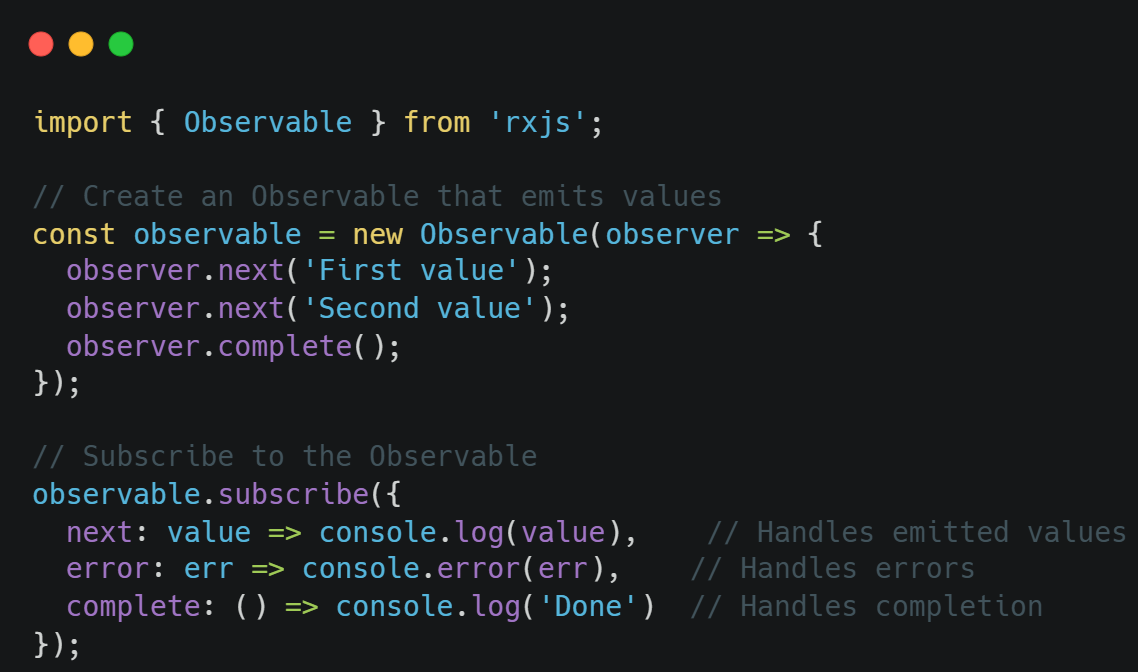
A subscriber attaches to the observable by calling the subscribe method to start receiving data from the Observable. Subscribing triggers the execution of the Observable logic. The subscribe method accepts three optional callbacks:
- next: Handles emitted values;
- error: Handles errors (terminates the Observable stream);
- complete: Handles completion of the Observable (no further emissions).
3. Execution
The Observable emits values to the subscriber through the next callback.
4. Teardown
When the Observable completes, errors out of the subscriber unsubscribes, some logic is executed. Useful for cleaning up timers, intervals or WebSocket connections.
Creating an Observable
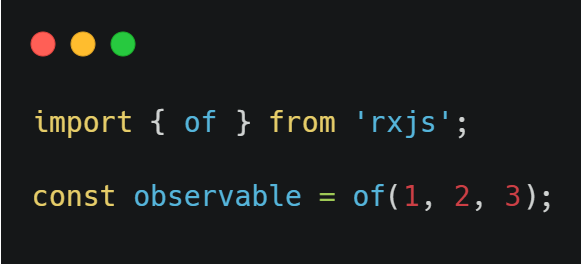
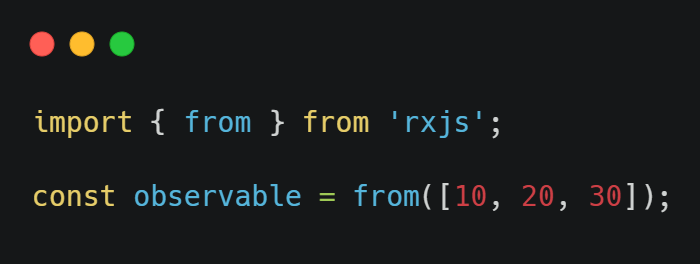
You can create an observable in Angular using the Observable constructor or by using operator methods like of, from, or interval. Here’s a quick example:
Working with Observables in Angular Services
Angular services are ideal places to manage Observables, as they allow us to keep the logic for data retrieval, state management, and communication between components in a single, reusable layer.
To use Observables in a service:
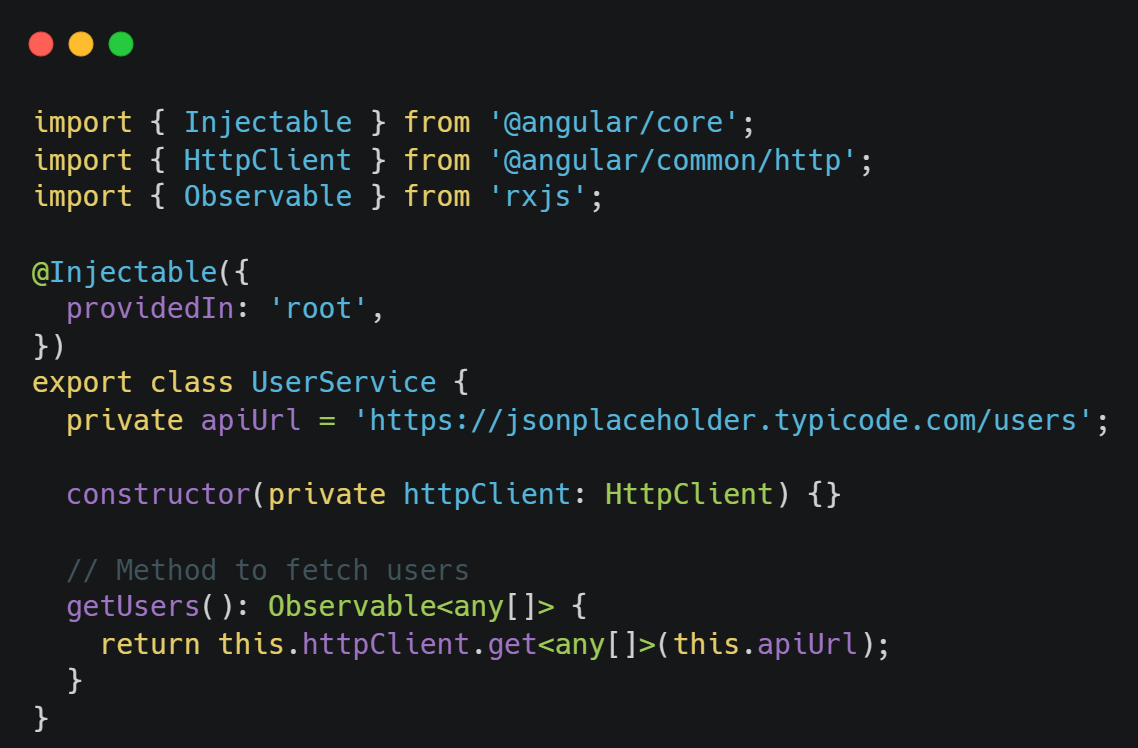
- Define a method that returns an Observable.
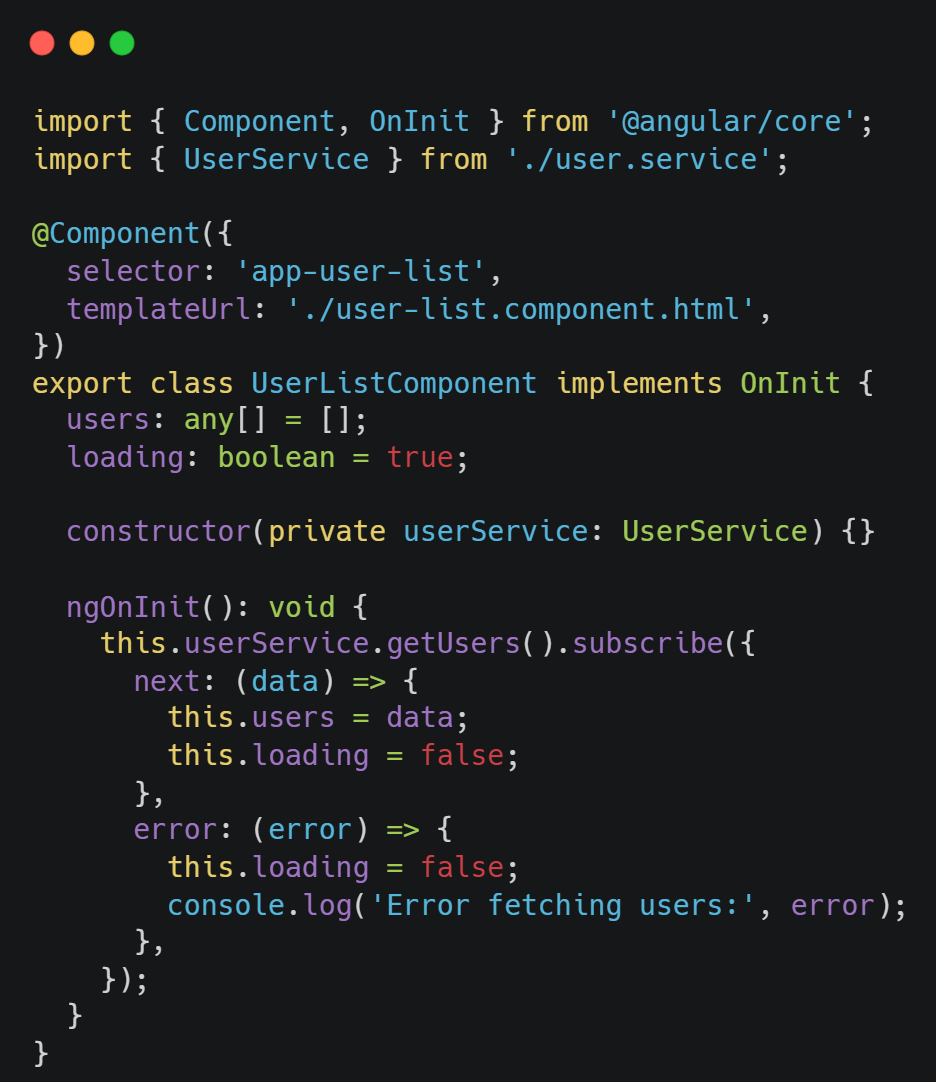
- Subscribe to this Observable in a component to handle the emitted data.
Here’s an example of an Angular service using Observables to fetch data from an API:
In the component, you subscribe to getUsers():
Subjects in RxJS: Subject, Behavior Subject, Replay Subject and Async Subject
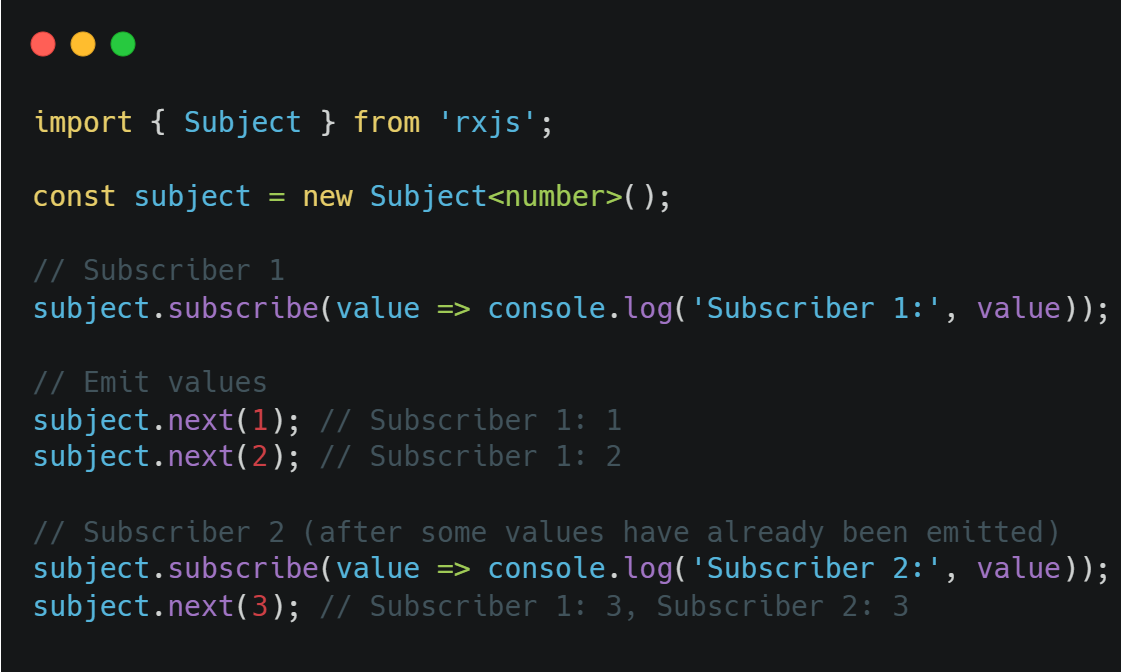
RxJS offers several types of Subjects, which are special Observables that allow multicasting (multiple subscribers to the same data source). Unlike standard Observables, Subjects can directly emit data using next(value). They are often used when you need to broadcast values or manage emissions manually.
1. Subject
A Subject emits values only to subscribers that are currently subscribed. New subscribers will not receive previously emitted values.
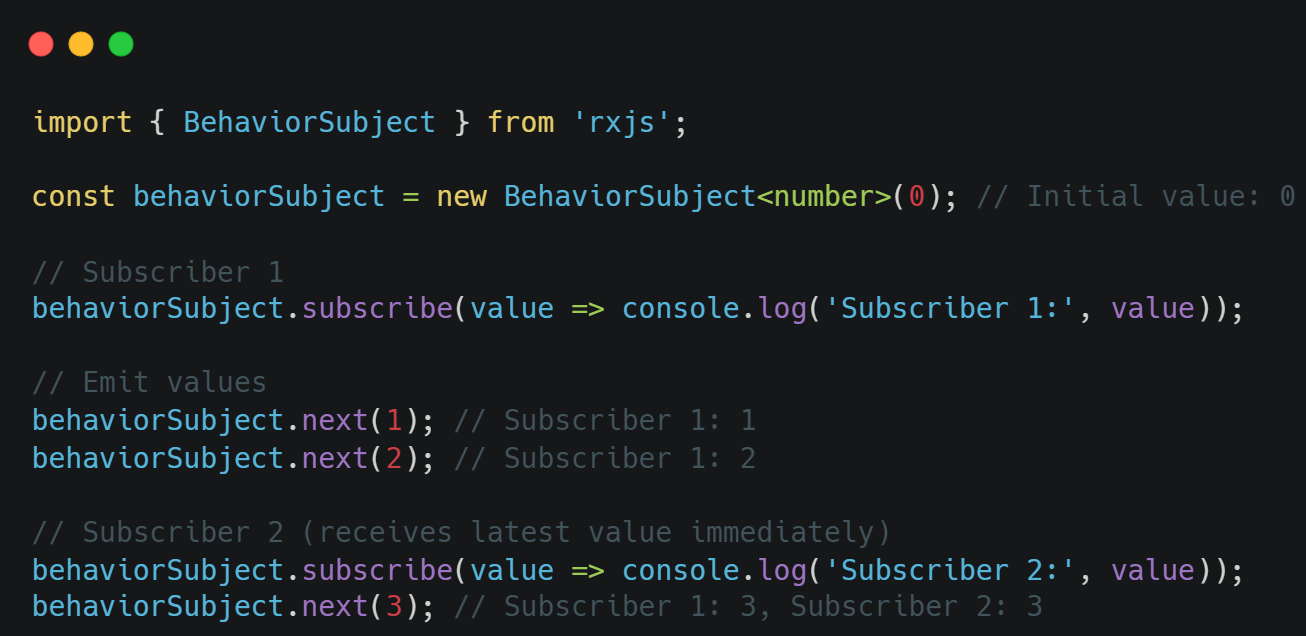
2. Behavior Subject
A Behavior Subject requires an initial value and emits its current value to new subscribers immediately upon subscription. It maintains the latest emitted value.
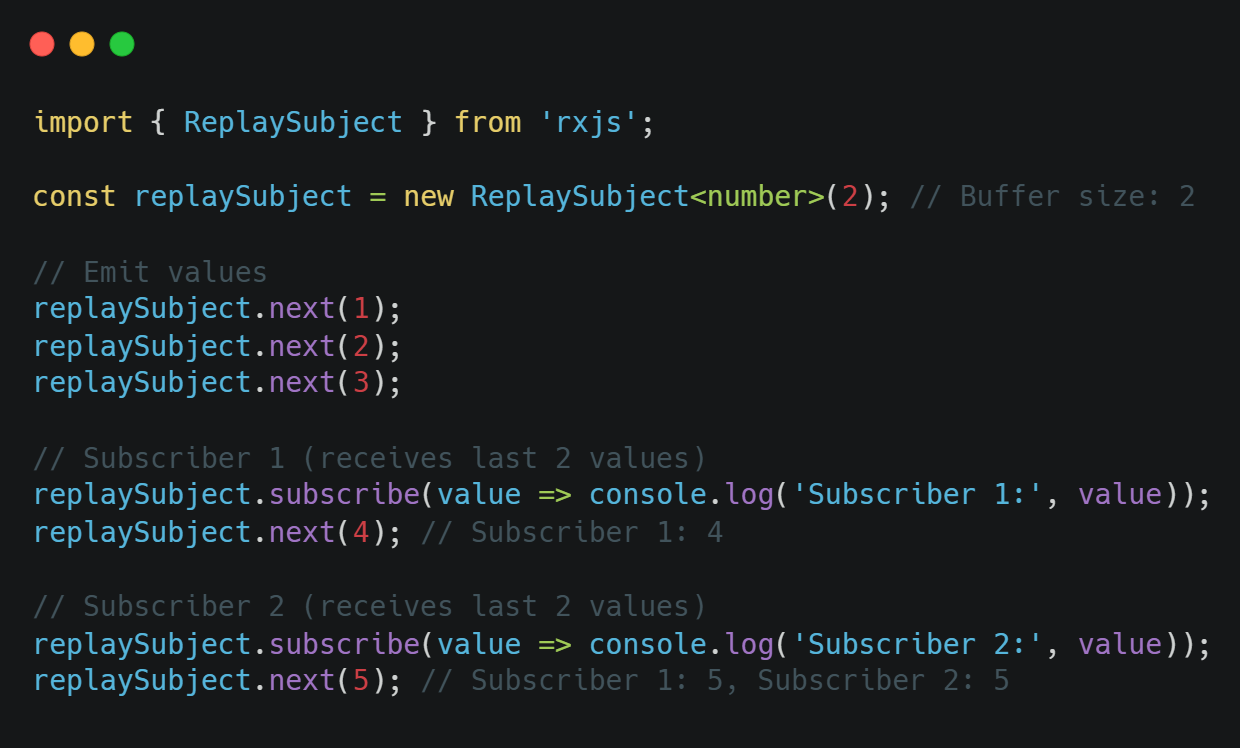
3. Replay Subject
A Replay Subject emits a specified number of previous values to new subscribers.
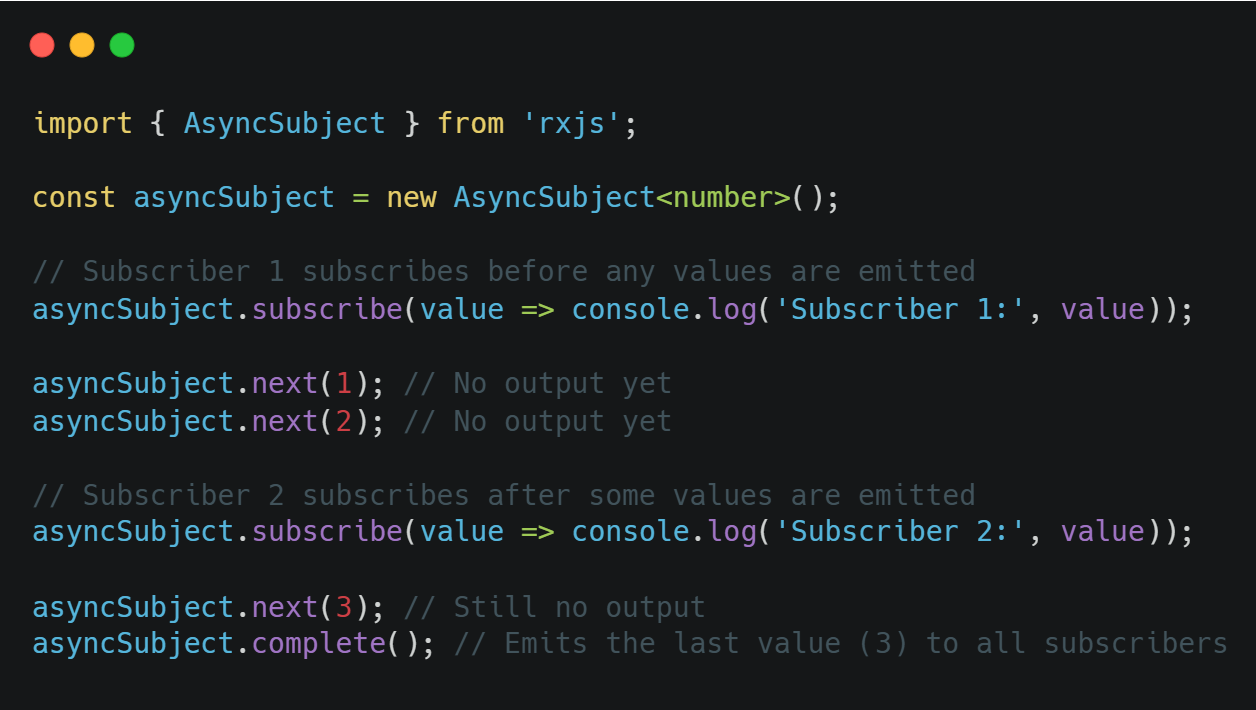
4. Async Subject
A Async Subject emits the last value to subscribers only when the subject completes.
In the next figure we have a table comparing each subject against each other on 4 features to summarize:
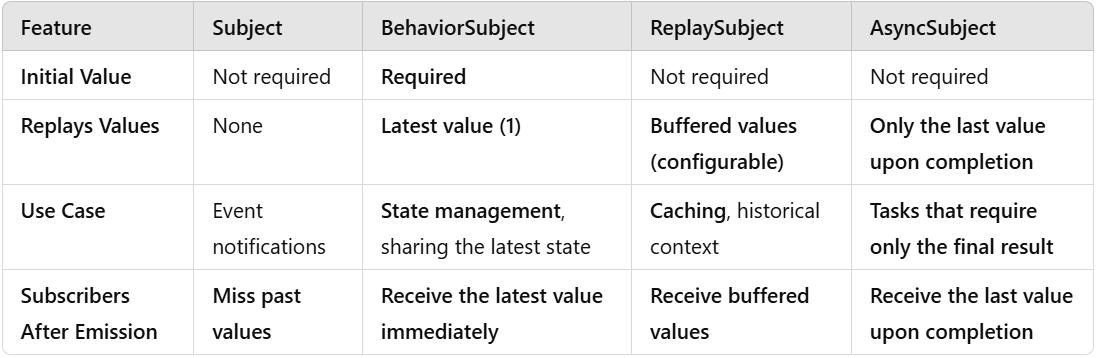
When to Use Each Subject Type
- Subject: When you want a simple Observable that only emits new values to current subscribers. Great for events that do not need state preservation;
- Behavior Subject: When you want to maintain a state and provide the latest state to new subscribers immediately. Useful for storing current user data, settings, or form values;
- Replay Subject: When you want to keep a history of values for new subscribers. Ideal for chat logs or other buffered data;
- Async Subject: Used for processes that emit only a final result (e.g., an API response after completion).
Creating a Custom Observable
Creating your own Observable with custom logic for next, error, and complete is a great way to handle more complex asynchronous scenarios or control the data stream directly. By using the new Observable, you can define when values are emitted, handle errors, and signal completion to subscribers.
To create a custom Observable, you can use the Observable constructor. This allows you to define your own logic for emitting values (next), error handling (error), and completion (complete).
Here’s a detailed look at how to create and control your custom Observable:
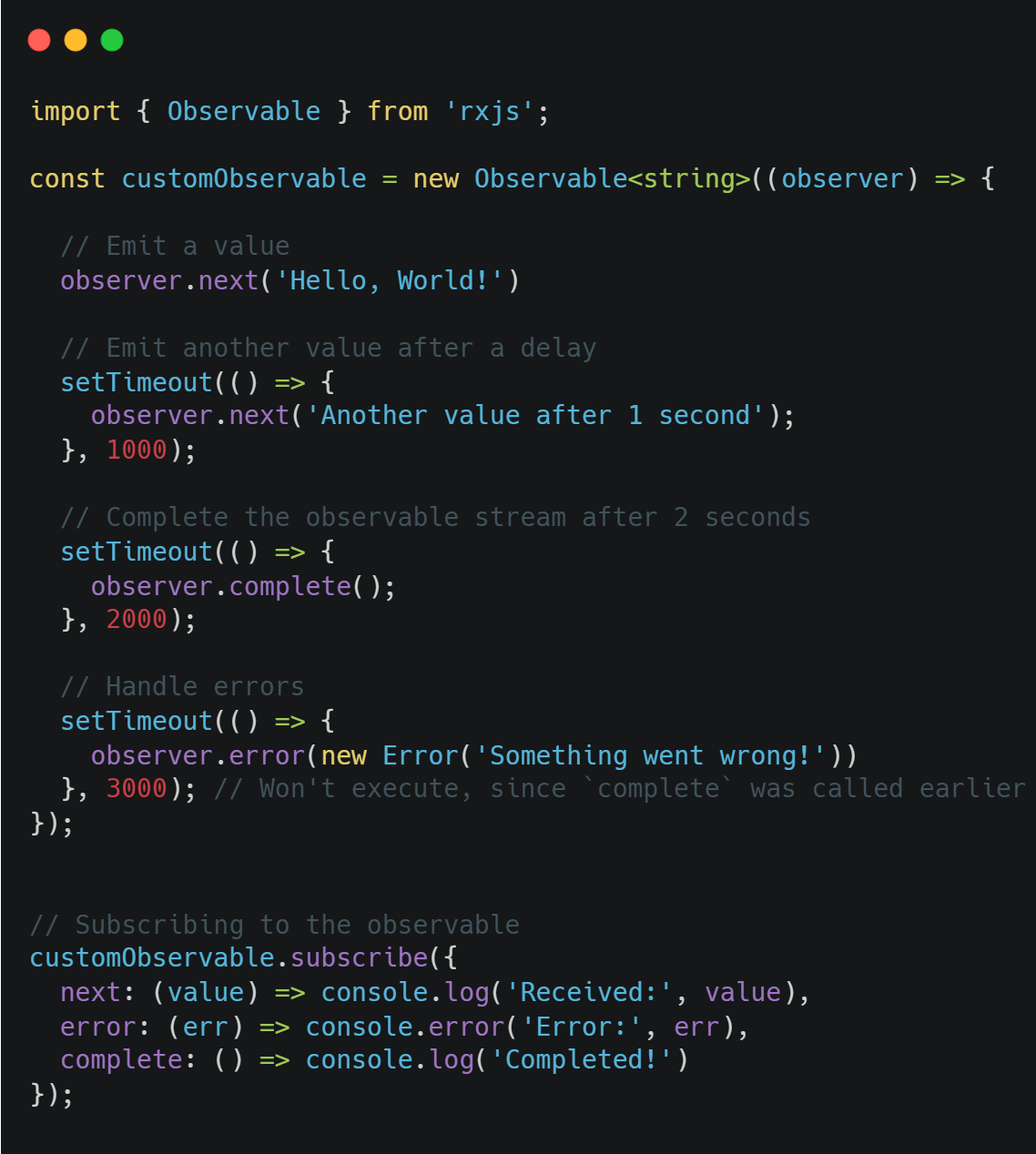
In this example:
- next sends a value to the subscriber.
- complete signals that the Observable has finished emitting values, so no further emissions will occur.
- error would notify subscribers of an error, but won’t execute here since complete is called first.
Conclusion
Using Observables and Subjects in Angular services enables clean, efficient communication across components. Whether managing state with Behavior Subject, preserving data history with Replay Subject, or broadcasting new events with Subject, RxJS provides robust tools for handling asynchronous data in Angular. Experiment with each type in Angular services to find the best fit for your specific data management needs.